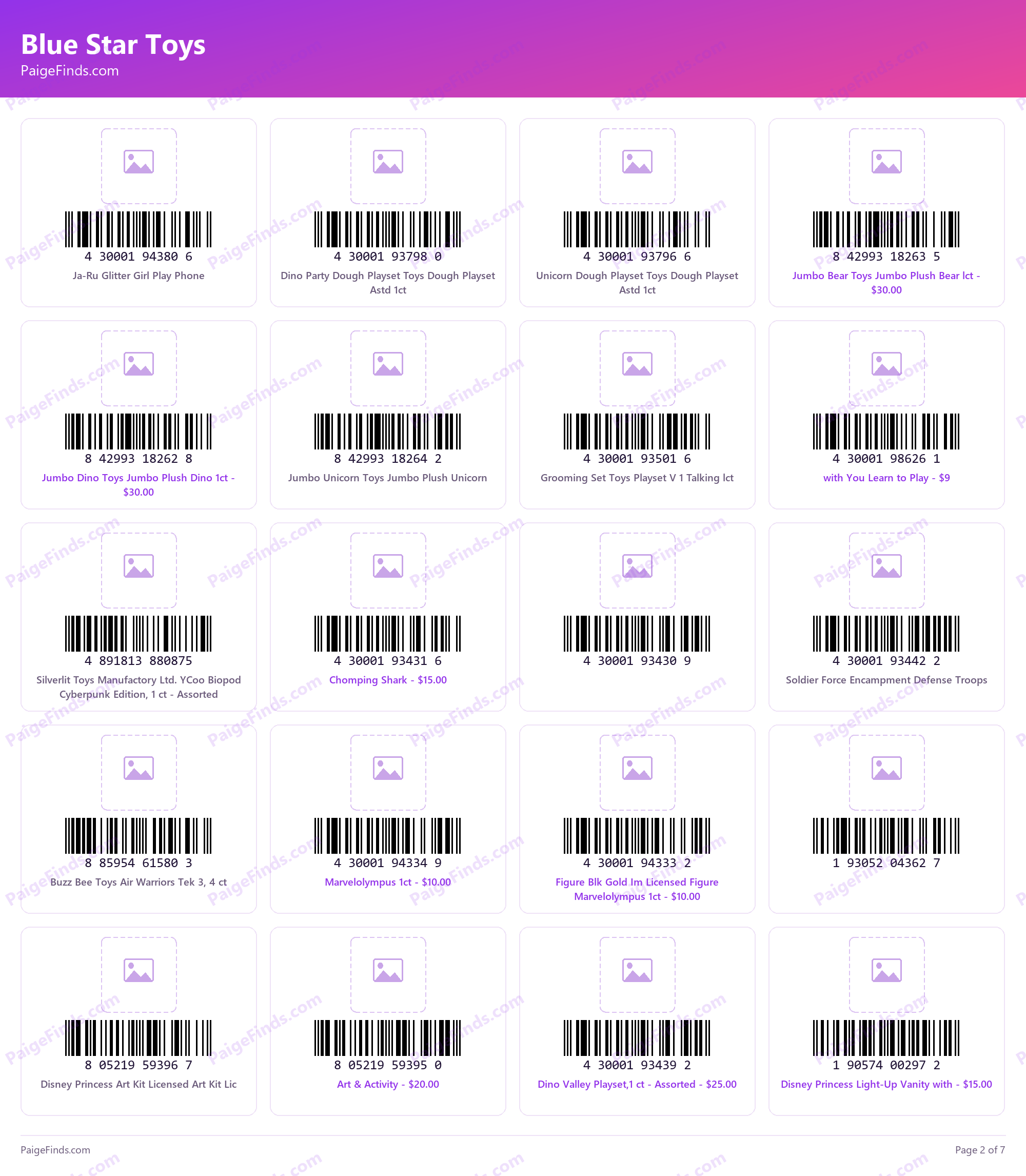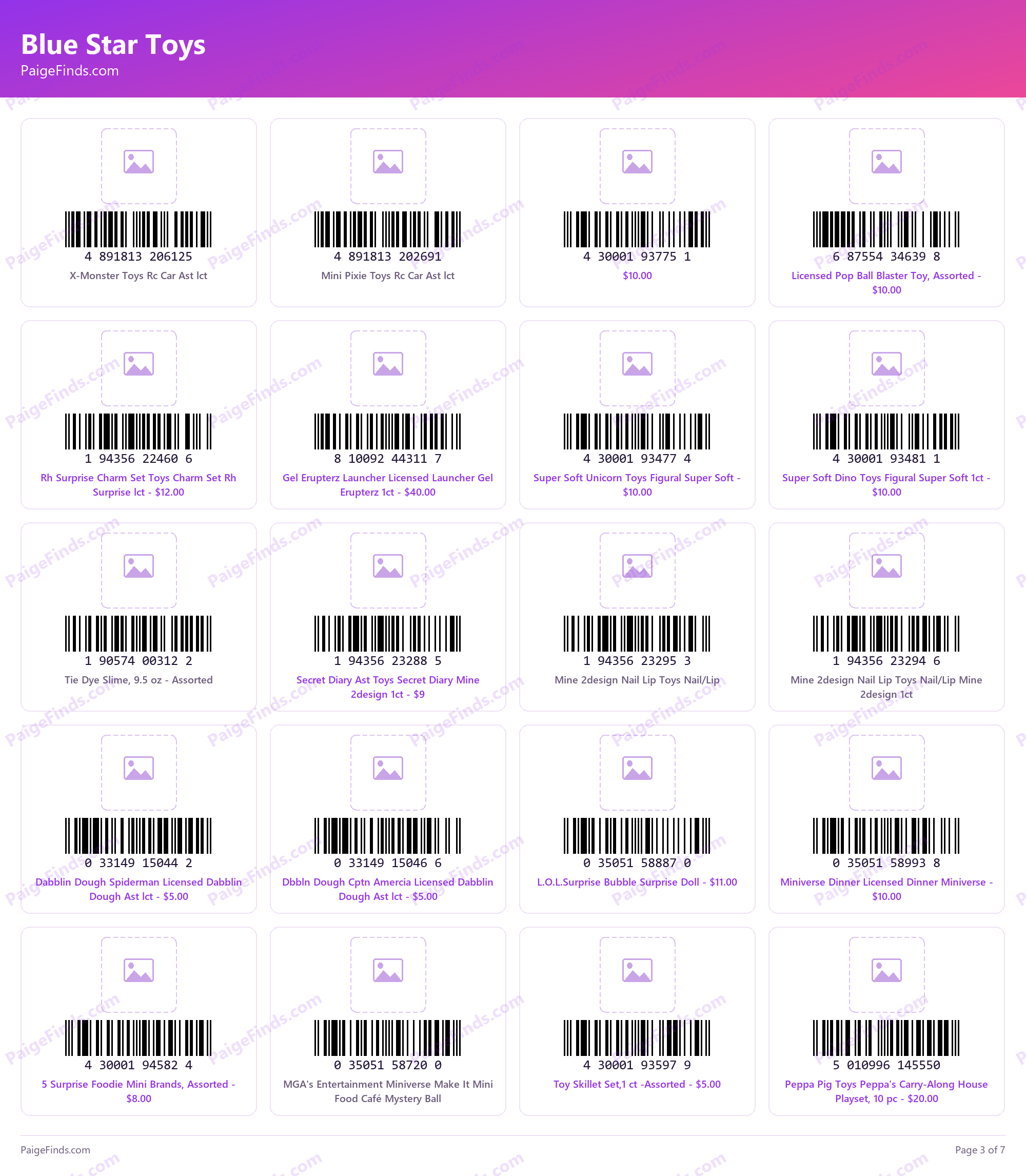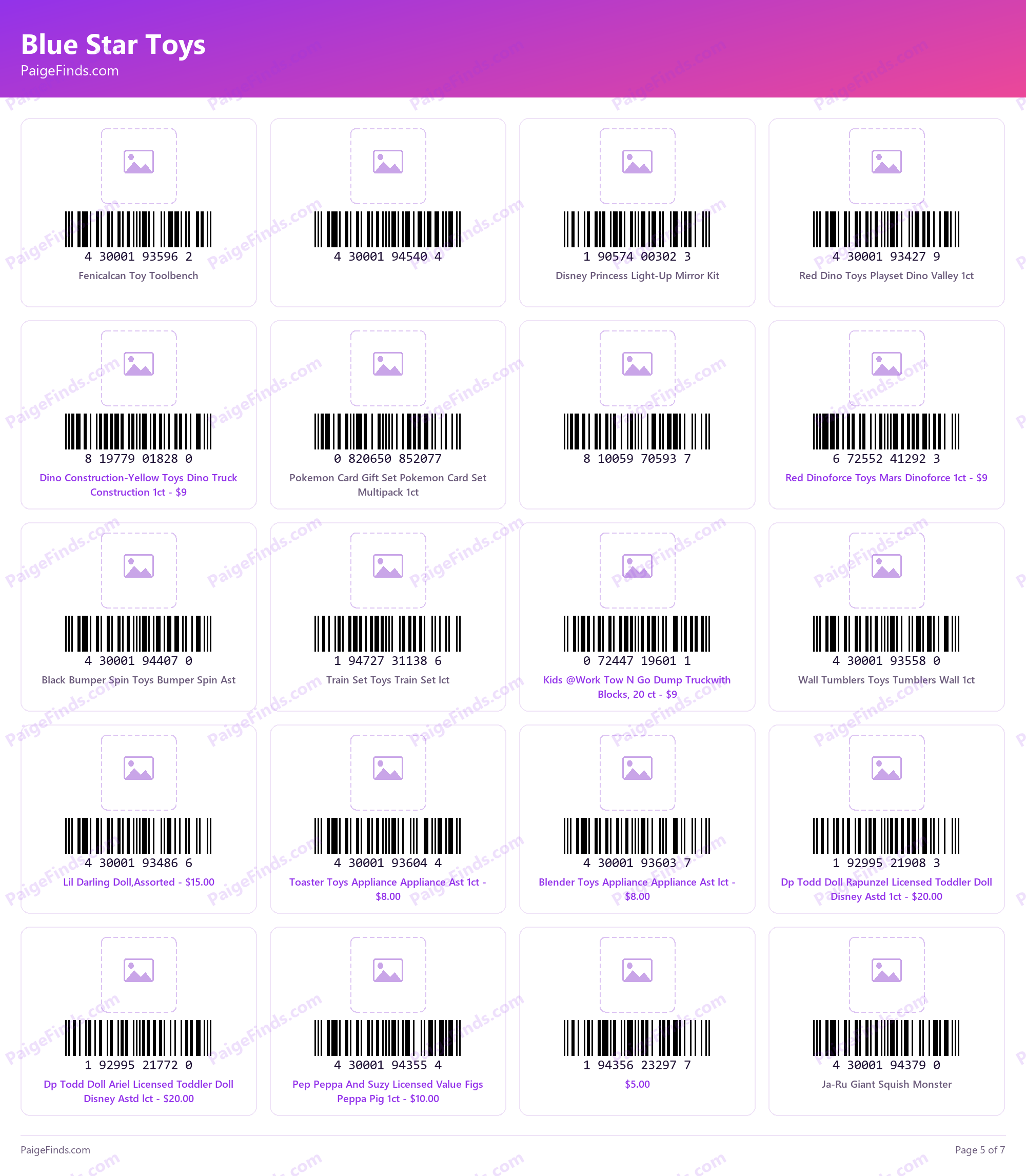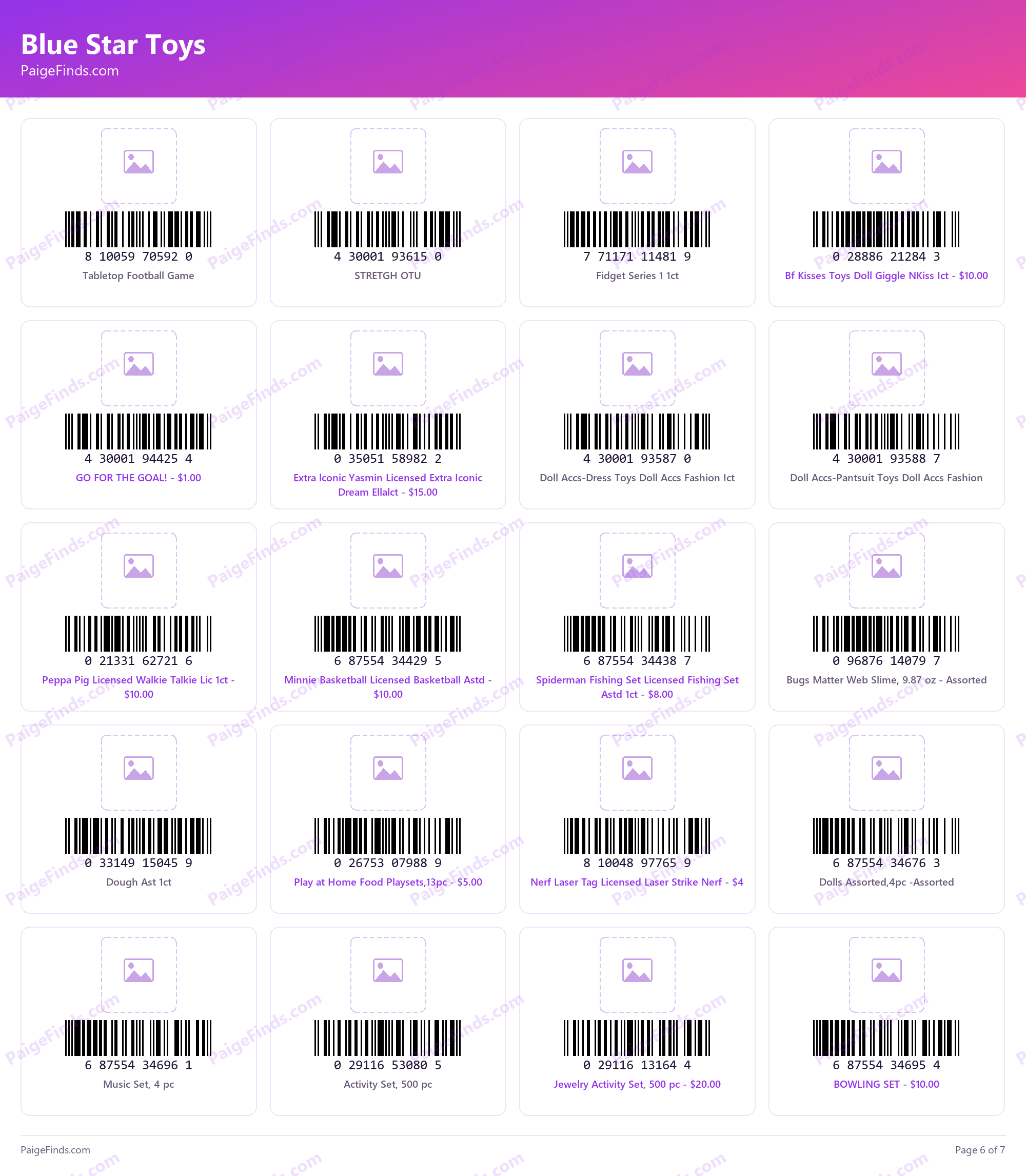
These are the Blue Star toys, and they work a little differently than a brand new penny list. These have been around a long while and have already been through many clearance cycles at this point. Right now they are sitting at 50% off with an additional 50-70% off during clearance events, but they are still out there.
What this list is
125+ items, all with scannable barcodes. Because these have been marked down over and over, most stores have already had them picked through. What is left is still on the shelves, it is just not always where you would expect to find it. Use this barcode list to add these items in your Dollar General app List. This will give you visuals to look for while you are out!
Where to find them
Most of what is left is not going to be sitting at eye level. Check the sky shelves — the high shelves up above the regular rows. That is where these get tucked away once a section has been picked over.
If something is up too high for you to get to safely, ask! Most employees are kind enough to get them down for you. I just would not mention them being a penny.
I am still seeing a good bit of educational toys up on the sky shelves, so those are worth looking for.
How to use the barcodes
Every item below has its barcode printed right on the page. Pull this post up on your computer or browser and scan the barcode straight off your phone with the Dollar General app.
- The app tells you whether the item is still in stock near you– this is not always accurate but it gives an idea of what stores you should specifically check for an item.
- It usually shows you a picture of the product too, which helps a lot when the description is vague or abbreviated.
- And it shows you the price — if it is a penny at your store, it will come up as $0.00 in the app
One thing that really helps: add these items to your list in the Dollar General app as you go through them. Then you have something to go by while you are standing in the store, instead of trying to remember what you were hunting for.
If you are new to any of this, start with our complete guide to penny shopping at Dollar General, which walks through how items get marked down and how they ring up at the register and in the app!
Be kind
Please leave the store better than the way you found it. If you pull things off a shelf or dig through a bin, put it back where it belongs. The mess is what gives penny shopping a bad name, and the employees are the ones who have to clean it up.
Before you go
Remember this is YMMV — your mileage may vary. Not every store runs through clearance on the same schedule, so an item that has dropped at one store may still ring up higher at another. Before you scan anything, double-check that your Dollar General app has the correct store location set, or the prices it shows you will not be accurate.
Check every shelf, check every row,
That’s how deals start to show.
Find something on this list, or something we missed entirely? Email your finds to hello@paigefinds.com and yours could be featured in a future post.
The list
Tap any page to open it larger. 7 pages total — the barcodes are scannable straight off the screen.